How Artec 3D Scanners Keep Automotive Production Lines Moving with Rapid Fixture and Gripper Inspection
Automotive robot production lines run at high volume, often for many years without full re-commissioning. Over time, jigs and fixtures are adjusted, brackets are replaced, and robot grippers (end-of-arm tooling) are repaired or modified to keep production moving. The issue is that the original CAD rarely reflects what is actually running in the cell.
This automotive case study (client name withheld under NDA) shows how UK automotive maintenance teams are using Artec Leo 3D scanners to rapidly recover a robot cell following a production incident/collision. By capturing jigs, fixtures and robot grippers as they exist in production and storing them as a “golden” working objects, maintenance teams are able to rescan, compare and identify changes that have developed over time. Maintenance teams can rapidly locate the root cause, re-align/repair the fixture or robot gripper and get the cell back online—minimising downtime and avoiding millions of pounds in production losses.
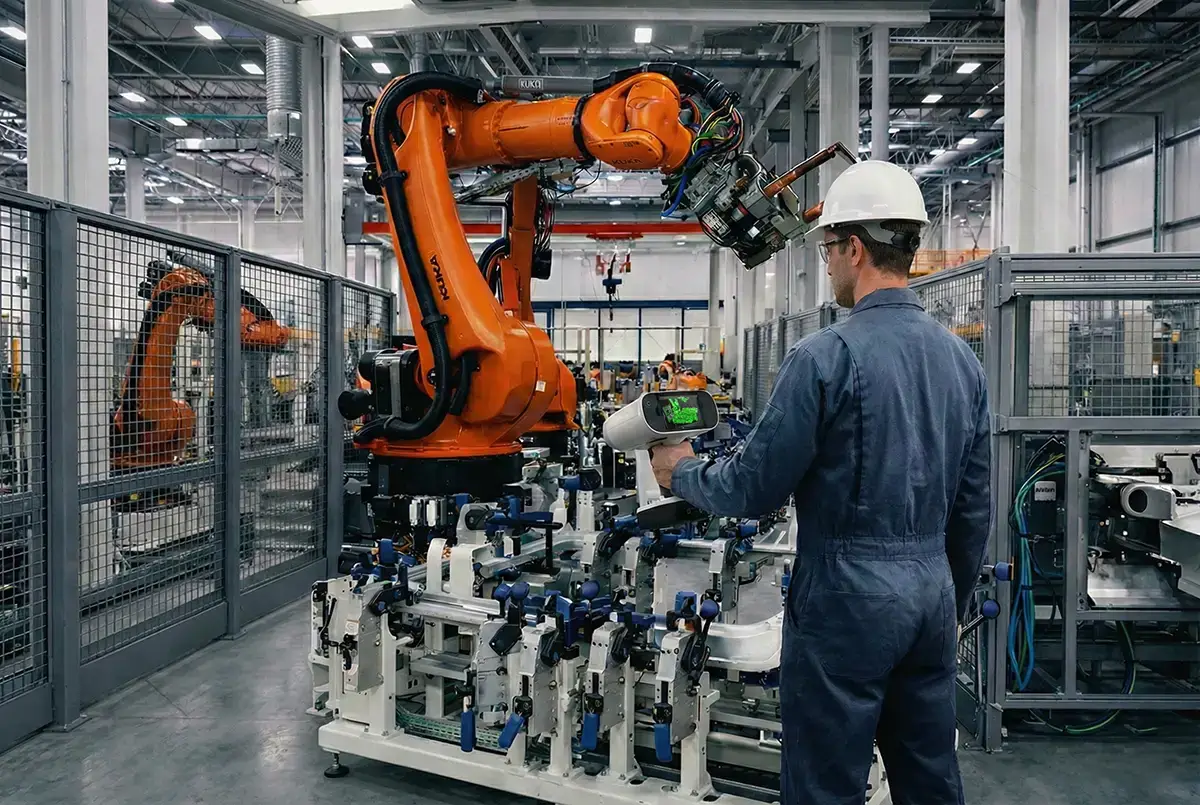
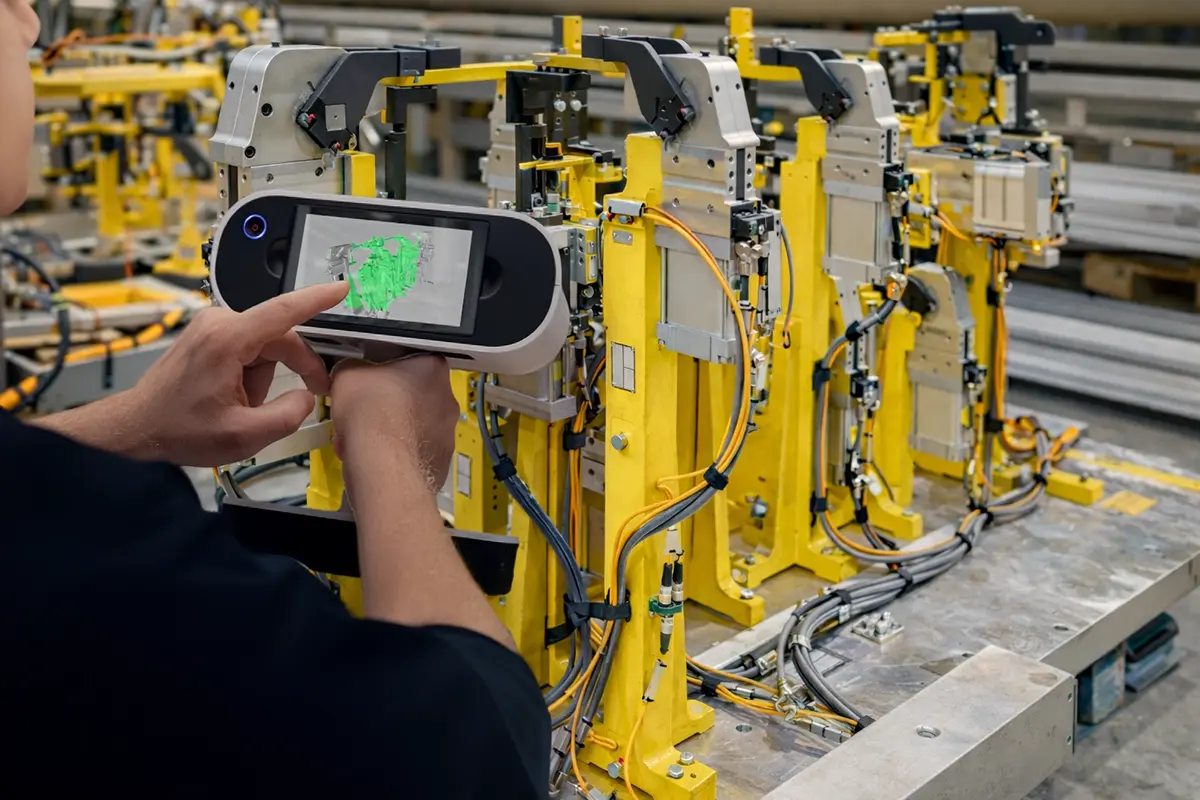
Illustrative example of Artec Leo 3D scanning in an automotive production environment.
The Automotive Reality: Production Drift Is Inevitable
In automotive manufacturing, robot cells are rarely static:
- Fixtures are adjusted to maintain dimensional quality
- Stops, locators and arms wear or move slightly over thousands of cycles
- Robot grippers handling doors, closures, BIW panels or sub-assemblies are knocked during handling, part strikes or minor collisions
- Changes are made under time pressure to protect throughput
As a result, the “official” CAD often represents design intent, not the as-running condition of the cell.
When an issue occurs — for example a robot collision, clearance problem or gripper mis-placement — the immediate question for production support teams is not:
Is this part within microns of nominal?
It is:
What has physically changed in the cell, where did it move, and roughly how much?
In most automotive breakdown scenarios, the difference that matters is not microns — crashes typically result in millimetres of movement.

The Approach: Establish a Practical Golden Baseline
Rather than relying on legacy CAD or waiting for specialist metrology resources, teams establish a pragmatic “line-in-the-sand” reference of the working cell.
- Key tooling is scanned directly on the shop floor:
- Automotive jigs and fixtures
- Robot grippers / EOAT
- These 3D scans are digitally stored as golden working references, representing what is in production and known to be working at that point in time.
- Additional cells are digitised during planned downtime or maintenance windows.
This approach is not about calibration or formal certification. It gives automotive maintenance teams a fast, reliable digital reference of what the line is actually running with.
The Workflow After a Production Event
A production event includes collisions, near misses, part strikes or unexplained stoppages. The strength of this workflow is how quickly it supports practical corrective action on the line, without waiting for formal inspection or CAD rework.
Step 1 — Rescan What Matters
Maintenance teams re-enter the cell and rescan the affected jigs, fixtures and robot grippers.
Where multiple versions of the same fixture are in rotation, a faulty or suspected fixture can be removed from the line and scanned alongside a known-good working fixture.
This makes it possible to recognise physical changes immediately, correct them, and return the fixture to production with confidence.
Step 2 — Overlay Against the Golden Scan
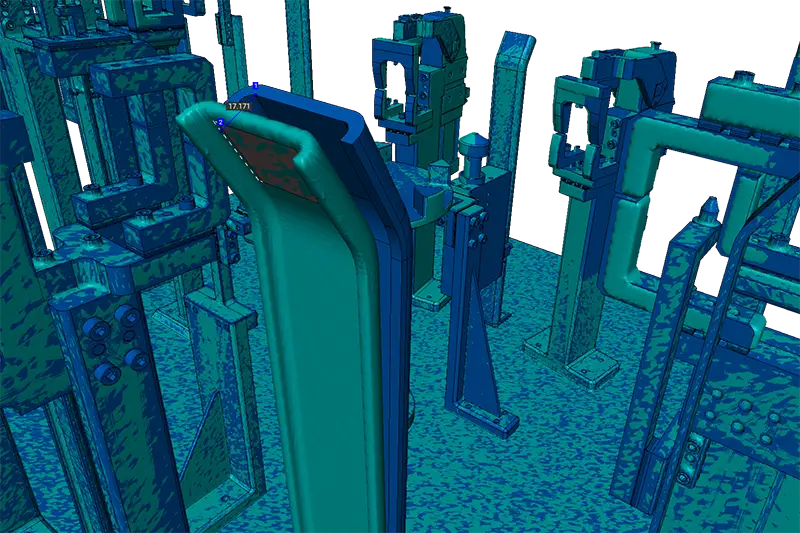
The new 3D scan data is aligned to the golden reference in Artec Studio software, establishing a direct comparison against the known working production cell.
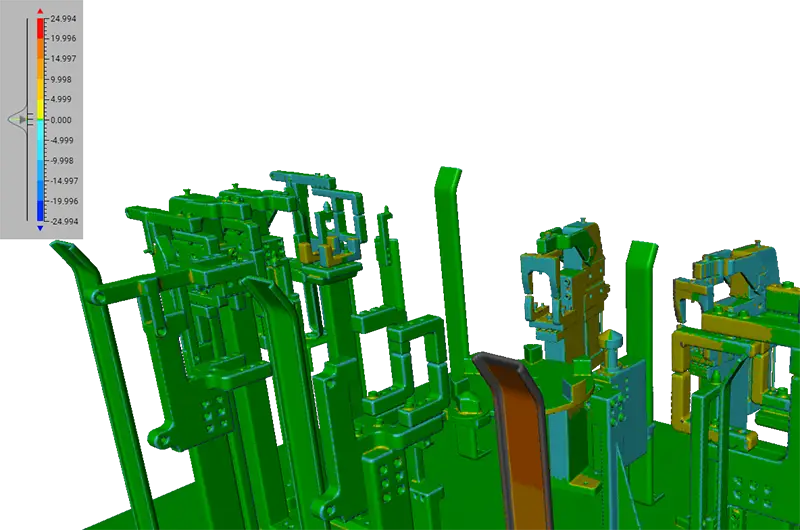
Step 3 — Colour-Map Comparison
A colour deviation map highlights:
-
Where tooling has moved (for example, a bent fixture arm, shifted stop, or knocked gripper finger)
-
The scale of the movement and in what directions it has moved.
This makes the root cause of the issue immediately visible to the team responsible for recovery.
Step 4 — Adjust and Recover
Fixtures or grippers are adjusted back toward their proven working position, restoring clearance and repeatable placement. Once corrected, the tooling is returned to the cell and production resumes.
By placing clear, visual, and actionable information directly in the hands of shop-floor teams, this workflow avoids unnecessary delays and prevents reactive breakdowns from turning into prolonged downtime while waiting for formal inspection or CAD updates.
Why Not Traditional Trackers, Measuring Arms or Marker Based 3D Scanners?
For reactive troubleshooting and rapid recovery on automotive production lines, the priority is speed, access and practical insight rather than formal metrology. In this context, Artec Leo, combined with Artec Studio software, provides a complete, accessible inspection workflow that can be run end-to-end without specialist metrology resources.
Key advantages include:
-
Large capture window:
With a field of view of 838 × 488 mm, Artec Leo captures complex fixtures and robot grippers efficiently. Multi-layer fixturing, overlapping components and grippers with varying depths are recorded quickly, including hard-to-reach areas. -
Cable-free, fully portable operation:
Leo’s wireless design allows scanning inside safety cages and confined robot cells without trailing cables, tripods or external hardware, making it easier to work around live production equipment. -
Fast capture during short access windows:
Fixtures and grippers are digitised in minutes, fitting into brief maintenance windows or unplanned stoppages without extending downtime. -
No line-of-sight constraints and fewer setups:
Unlike tracker-based systems, which may require clear line of sight and multiple setup positions to capture complex tooling, Artec Leo allows free movement around the fixture or gripper, reducing repositioning and setup time in cluttered cells. -
Well suited to complex, non-prismatic geometry:
Robot grippers and EOAT often include curved surfaces, layered assemblies and internal features that are time-consuming to inspect with contact-based methods. Artec Leo captures full surface geometry in a single workflow.
-
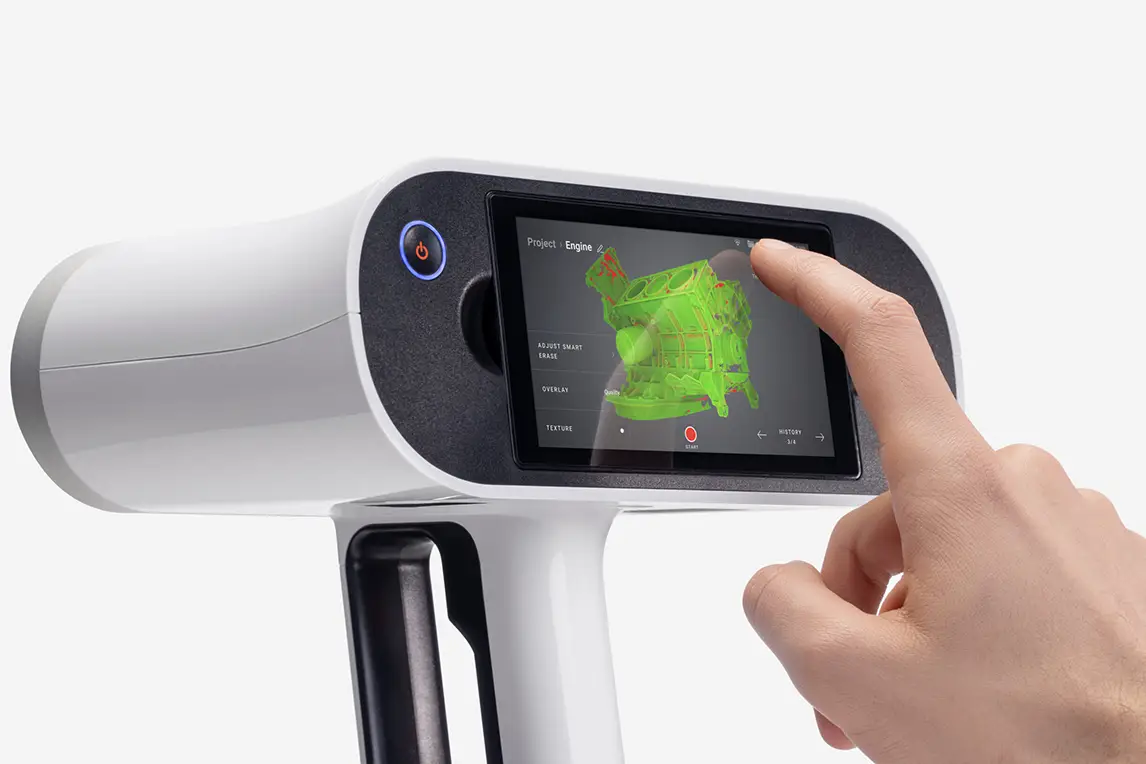
Clear, visual outputs for non-metrology teams:
Colour-map comparison in Artec Studio highlights what moved and by how much in a format that maintenance and production engineers can interpret quickly, without specialist metrology training. -
End-to-end workflow in a single software environment:
Scanning, alignment, scan-to-scan comparison and colour-map analysis are all performed within Artec Studio, avoiding the need to move data between multiple software platforms. -
Lower cost and shorter learning curve than traditional metrology software:
Compared to enterprise metrology inspection software, which is typically expensive, complex and operated by specialist teams, Artec Studio offers a more accessible solution that production-focused engineers can learn and apply quickly. -
Practical accuracy for collision and recovery work:
In automotive breakdown scenarios, crashes typically introduce millimetre-scale movement. This workflow provides sufficient accuracy to identify and correct those changes without the overhead of micron-level inspection. -
Reduced dependence on CAD:
By comparing live scans to a known working “golden” scan, teams avoid relying on CAD models that no longer represent the as-running condition of the tooling.
How This Complements Traditional Metrology
Formal metrology systems and specialist inspection software remain essential for certification and detailed dimensional analysis. However, for reactive fixture and gripper recovery on automotive production lines, they often require more setup time, multiple positions and specialist operators.
Artec Leo and Artec Studio provide a practical, shop-floor-friendly alternative that enables faster diagnosis, clearer communication and quicker return to production.
Beyond Automotive Robot Cells
This approach isn’t limited to automotive robot cells. The same workflow applies anywhere jigs, fixtures and robot grippers control positioning — from aerospace and battery lines to white-goods production, packaging systems and welding fixtures.
Wherever small physical changes can cause downtime, having a simple digital baseline and a quick way to see what’s moved helps teams get back up and running faster.